
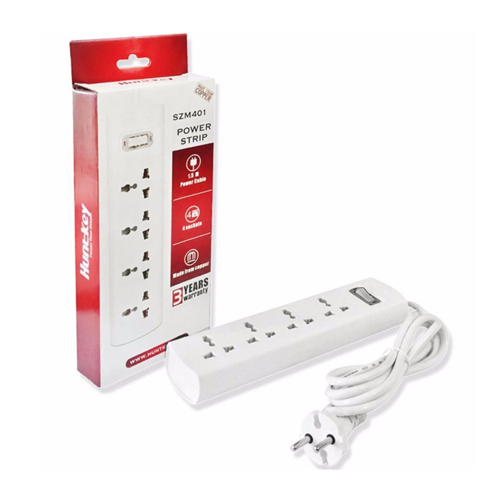
That dusty surge protector hiding under your desk is more than an eyesore. It’s a silent collector of dust, pet hair, and spilled-coffee-ghosts. Many people see that layer of grime and immediately worry about a fire hazard, and while they're not entirely wrong, they're often focused on the wrong problem. The gunk you can see is a nuisance, but the real danger often lies in the slow, invisible degradation of the components you can't see.
Ignoring this simple maintenance task is a gamble—not just with the surge protector itself, but with the thousands of dollars of sensitive electronics plugged into it. A compromised surge protector can fail during the next power fluctuation, sending a fatal jolt to your computer, TV, or gaming console. So let’s cut through the noise and talk about how to clean it safely and, more importantly, how to recognize when cleaning is a waste of time and replacement is your only smart move.
In a Nutshell
- Safety is Non-Negotiable: Always, always unplug the surge protector from the wall outlet before you do anything else. It's the golden rule.
- Dry Methods First: For 90% of cleaning jobs, a dry cloth, a small brush, or a can of compressed air is all you need. Liquids are the enemy.
- When in Doubt, Throw it Out: If your surge protector has taken a liquid spill or shows any signs of damage (cracks, burn marks), it’s done. Cleaning won't save it, and using it is a serious risk.
Why You Should Actually Clean Your Surge Protector
The primary reason to clean a surge protector is to prevent dust and debris from obstructing outlets and vents, which can potentially contribute to overheating and, in rare cases, create a fire risk. Over time, this buildup can act as an insulator, trapping heat generated by the internal components. While dust itself isn't spontaneously combustible, it can become a problem when combined with an electrical spark from a failing internal part.
I’ve seen a lot of online chatter about this. Many users on Reddit worry that a thick blanket of dust is a guaranteed fire starter. The truth is a bit more nuanced. An expert on an electrical forum put it best: "Fires are not created by dust. Fires are created by those five cent (undersized) protector parts inside power strips." This gets to the heart of the matter. The real danger is often the cheap, aging internal components, and dust buildup just adds another stress factor. So, while cleaning reduces a small external risk, its bigger benefit is that it forces you to periodically inspect the device for much more serious warning signs. It’s a key part of understanding the truth about whether power strips prevent fires.
Your Step-by-Step Guide to Safely Cleaning a Surge Protector
Ready to get it done? It’s a zippy machine to clean if you follow the right steps. Here’s my no-nonsense breakdown.
The 60-Second Dust-Off
This is your routine maintenance, the thing you should do every six months or so. More often if you have pets or a dusty home.
- ✅ Unplug It First: I’m going to say this a lot. Disconnect the surge protector from the wall. No exceptions.
- ✅ Use a Dry Cloth: Wipe down the entire casing with a soft, dry, lint-free cloth. This handles the easy surface dust.
- ✅ Brush the Outlets: Use a small, soft-bristled brush (an old toothbrush works great) to gently flick debris out of the outlet slots.
This simple routine is especially key for units tucked away out of sight, like in an under-desk power strip mounting setup, where dust bunnies love to congregate.
Deep Cleaning: Compressed Air vs. The Vacuum
For the stubborn dust lurking deep inside the outlets, you need to bring in bigger guns. But which one? There’s a hot debate about this.
- 💻 Compressed Air: This is my preferred method. It’s fantastic for blasting dust out of hard-to-reach places. Hold the can upright and use short, controlled bursts from a few inches away. This prevents the bitterant and propellant from spitting out as a liquid, which could cause damage.
- ❌ The Vacuum Cleaner: I know what you’re thinking, “Why not just suck the dust out?” Many people do this, but I advise against it. Some tech experts warn that the plastic nozzle of a vacuum can generate a small amount of static electricity. The risk of that static discharge damaging the sensitive internal circuitry, while small, is not zero. For me, it's not worth the gamble.
Tackling Gunk, Grime, and Yellowing Plastic
What if you’re dealing with more than just dust? Sticky soda residue or that ugly yellowing that happens to old plastics?
- First, a Damp Cloth: For sticky spots, use a cloth that is slightly damp with water. It should be wrung out so it’s not dripping at all. Wipe the spot and dry it immediately.
- For Stubborn Gunk: If water doesn't cut it, you can use a cloth lightly dampened with isopropyl alcohol. Always test it on a small, hidden spot first to make sure it doesn't mar the plastic finish.
- That Annoying Yellowing?: Some users have reported success de-yellowing the plastic casing with a mild solution of vinegar and water. This is an aesthetic fix, but it can make your old gear look a bit fresher. Remember, this is only for the outside casing and should never get near the outlets.
The Big No-Nos: What You MUST NEVER Do
I’m direct about this because mistakes here are costly and dangerous.
- ❌ Never use liquid cleaners directly on the unit. No Windex, no kitchen sprays, nothing. Liquid and electricity are a disastrous combination.
- ❌ Never immerse a surge protector in water. This should be obvious, but it has to be said. It will permanently destroy the device and create a severe fire hazard.
- ❌ Don't take it apart. Some forum users admit to disassembling their power strips to clean internal contacts. Unless you’re a certified electrical engineer, don’t do this. You risk improper reassembly and compromising its safety features.
That Sinking Feeling: You Spilled Liquid On It
It happens. A tipped-over glass of water, a splash of coffee. The immediate question everyone asks is, "How long do I need to let it dry?"
The answer is simple: You don't.
A ‘Dry’ Power Strip Isn't Safe. Even if it feels dry on the outside, moisture can remain trapped inside for days, causing hidden corrosion on the circuits. That corrosion creates a ticking time bomb for a short circuit and a potential fire, long after you thought the danger had passed.
If you spill liquid on or in your surge protector, unplug it immediately (if safe to do so) and throw it away. Replacement is non-negotiable.
Know When to Fold 'Em: Signs You Must Replace Your Surge Protector
Cleaning can't fix a device that’s at the end of its life. A surge protector is a safety device with a finite lifespan. Here are the clear signs it’s time for a replacement.
- You smell something burning: A burning or chemical odor is a massive red flag. Unplug it immediately and get rid of it. This indicates an internal component is actively failing and could start a fire.
- It feels hot to the touch: A little warmth can be normal, but if it's noticeably hot, something is wrong internally.
- You see physical damage: Cracks in the casing, melted plastic, or scorch marks around the outlets mean the integrity of the unit is compromised.
- The 'Protected' light is out: Most surge protectors have an indicator light to show the surge protection circuitry is active. If that light is burnt out or flickering, your gear is no longer being protected.
If you see any of these signs, it’s time to shop for a new one. My team and me are constantly testing, and our guide to the safest power strips of 2026 is a fantastic place to start your search. And while you're upgrading, consider looking into the benefits of smart power strips for added control and energy monitoring.