
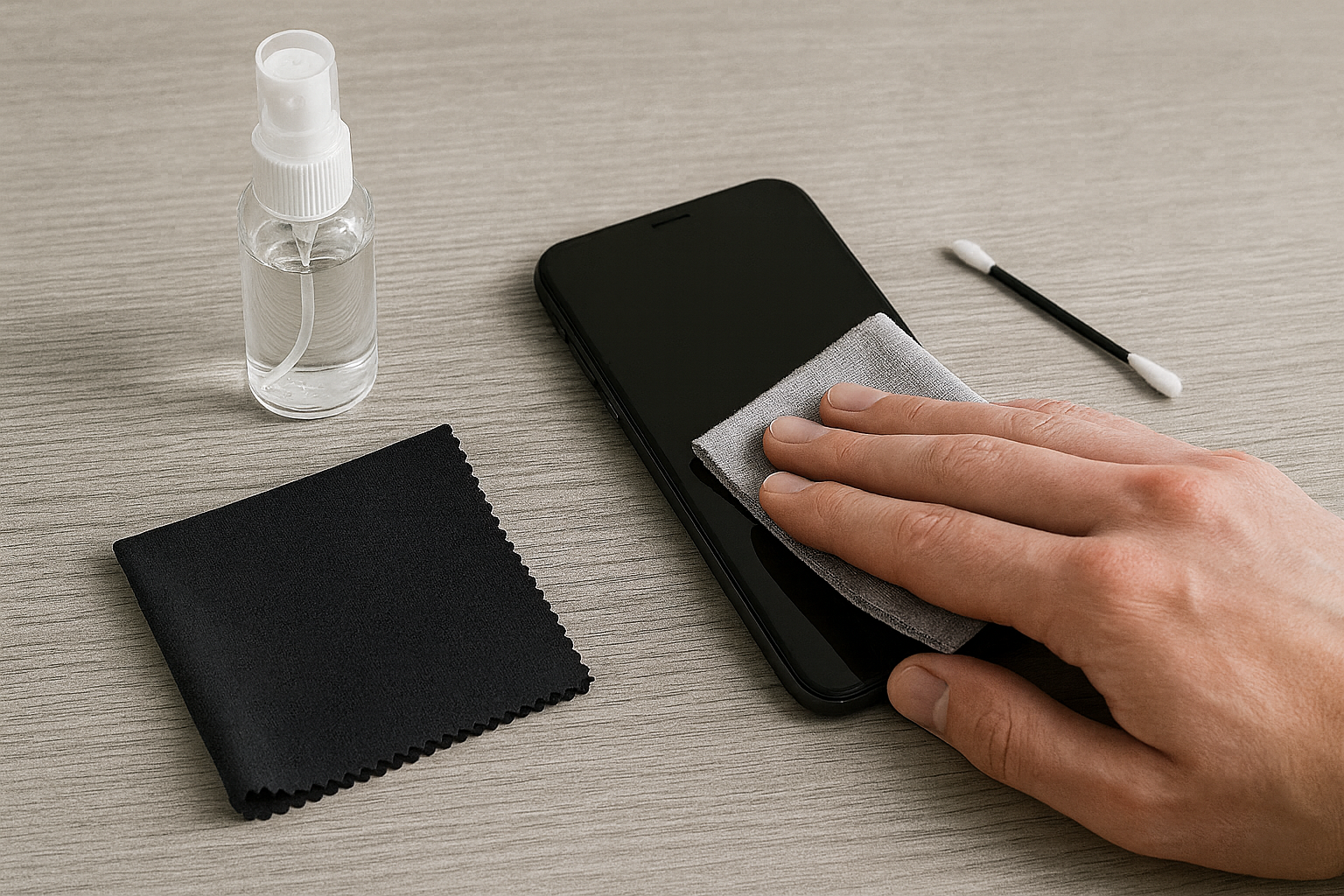
Your smartphone screen likely harbors more bacteria than a toilet seat, yet the fear of a costly cleaning mistake keeps it grimy. You've heard the horror stories: a scratched screen from a paper towel, a dead port from a rogue drop of liquid, or a permanently smudgy display from using the wrong chemical. This constant worry leads to inaction, leaving your most-used device a breeding ground for germs and accumulating performance-killing debris.
That vague charging connection you've been ignoring? It's likely not a battery issue, but a port slowly being suffocated by pocket lint. The frustration builds with every failed charge. You see the smudges and feel the oily residue after every call, knowing you're pressing a dirty object to your face. The conflicting advice online only amplifies the anxiety—use alcohol, but don't use alcohol; use compressed air, but it might break something. It's a paralyzing cycle that leaves both you and your phone in a state of filth.
In a Nutshell
- Always Power Down: Before any cleaning, turn your phone completely off to prevent accidental inputs or short circuits.
- Cloth is King: Use a soft, lint-free microfiber cloth for all wiping. Apply any cleaning solution to the cloth first, never directly onto the phone.
- 70% Isopropyl Alcohol is Your Ally: This concentration is approved by manufacturers like Apple and is effective for disinfection without being overly harsh.
Why Your Current Cleaning Methods Are a Mistake
The cleaning methods most people default to are actively ruining their expensive smartphones. That paper towel you grab for a quick wipe? It's made of wood pulp, an abrasive material that creates micro-scratches on your screen. Over time, these tiny scratches scatter light, making your display look dull. Household cleaners like Windex or anything with bleach or ammonia are even worse; they can strip the essential protective coatings right off your screen.
Even seemingly safe options can be deceptive. Pure alcohol is too aggressive and can damage the screen's finish. And while compressed air seems logical for ports, a high-pressure blast can force debris deeper inside or damage sensitive components like your microphone. These common mistakes don't just affect aesthetics; they degrade your device's value and functionality.
Your Step-by-Step Sanitizing Blueprint
You don't need a professional kit to clean your phone safely. The right technique matters more than expensive gadgets. In my experience, a few simple, correct tools outperform any complex kit.
The Essential Toolkit You Actually Need
- High-Quality Microfiber Cloths: Get a pack of them. They are your primary tool for a scratch-free clean.
- 70% Isopropyl Alcohol Solution: This is the sweet spot for disinfecting without causing excessive damage.
- Distilled Water: For general grime removal, as it contains no minerals that could scratch the screen.
- Non-Metallic Tools: Wooden or plastic toothpicks are perfect for carefully cleaning charging ports. Never use metal pins or SIM tools.
- Soft Brush: An old, clean toothbrush or a small paintbrush works wonders on speaker and mic grilles.
The Right Way to Sanitize Your Screen & Body
First, power your device off completely. Start by wiping the entire phone with a dry microfiber cloth to remove surface dust. For disinfection, lightly dampen a clean corner of the cloth with your 70% isopropyl alcohol solution.
Gently wipe down the screen, back, and sides. The key is using the damp cloth, not spraying the phone directly, which can force liquid into openings. Finally, use a dry part of the cloth to buff away any remaining streaks. A clean phone is also a more secure one; keeping your device in top shape is one part of digital hygiene, just as it's crucial to know how to tell if your smartphone is hacked.
That Invisible Shield: Your Screen's Oleophobic Coating
The oleophobic coating is a microscopic, oil-repelling layer on your screen that makes fingerprints and smudges easy to wipe off. Harsh chemicals and excessive alcohol use wear this coating down, which is why your screen might seem like a permanent smudge magnet after a few years.
Here’s the hot take most guides miss: think of a high-quality screen protector as a sacrificial, replaceable oleophobic coating. It allows you to clean more confidently without ever touching the original screen's delicate layer. For those whose coating is already worn, you can buy oleophobic coating restoration kits online. They provide a temporary but effective fix that can make your screen feel new again.
Deep Cleaning Beyond the Screen
Grime doesn't just live on your screen. Your ports, speakers, and microphone grilles are magnets for dust and debris, which can lead to real performance problems.
How to Rescue Muffled Speakers and Mics
For speaker and microphone grilles, using liquids or compressed air is risky. A much safer and more effective method is to use a clean, dry, soft-bristled brush. Gently brush the openings to dislodge any dust. You can also use adhesive putty (like Blu-Tack) by pressing it lightly onto the grille to lift out stubborn debris without pushing it further in.
Conquering the Clogged Charging Port
If your phone is charging intermittently, the port is the first place to look. After powering down your phone, use a wooden or plastic toothpick to gently scrape the inside of the port. You'll often be surprised by the amount of compacted lint you can hook and pull out. Avoid metal objects at all costs, as they can short-circuit the contacts. A clean port is essential for effective charging, ensuring you get the most out of your device, especially with the ever-increasing capacities found in the smartphone battery wars.
Advanced Sanitization: Are UV-C Lights a Gimmick?
UV-C light sanitizers use a specific wavelength of ultraviolet light to damage the DNA of bacteria and viruses, effectively killing them without chemicals. Yes, they do work. Hospitals have used this technology for decades to sterilize equipment.
However, there's a huge caveat. The market is flooded with cheap, ineffective UV wands and boxes. For a UV sanitizer to be effective, it needs to emit the correct UV-C wavelength and expose the surface for a sufficient amount of time (often several minutes). Cheaper models may not have the power or proper certification. If you're considering one, look for products from reputable companies that provide third-party lab testing to back up their claims.
Cleaning Method Comparison
70% Alcohol Wipe:
UV-C Sanitizer (Reputable):
Frequently Asked Questions
Is it safe to use Clorox or Lysol wipes on my phone?
Yes, according to manufacturers like Apple, you can use Clorox Disinfecting Wipes or those with 75% ethyl alcohol. The key is to ensure the wipe isn't overly saturated. If it is, wring it out slightly before use. Avoid any wipes that contain bleach.
How often should I be cleaning my device?
Given how frequently we touch our phones, a daily wipe-down is recommended to keep germs at bay. A deeper clean of the ports and speaker grilles can be done every few months or whenever you notice performance issues.
What about the phone case?
Don't forget the case! It's often just as dirty as the phone itself. Most plastic, rubber, or silicone cases can be washed with mild soap and water. Just make sure the case is completely dry before putting it back on your phone.
A Clean Phone is a Better Phone
Ultimately, cleaning your smartphone isn't about achieving a sterile object; it's about mindful maintenance. By abandoning damaging habits like using paper towels and household cleaners, you're not just removing germs—you're preserving the performance, longevity, and value of your device. A few minutes each day with the right tools is all it takes to go from a state of anxious neglect to confident control over your most personal piece of technology. If you've ever had to deal with the stress of a locked device, you know how important it is to keep it in good working order, which is why having a guide on what to do when you forgot your iPhone passcode is just as essential.