
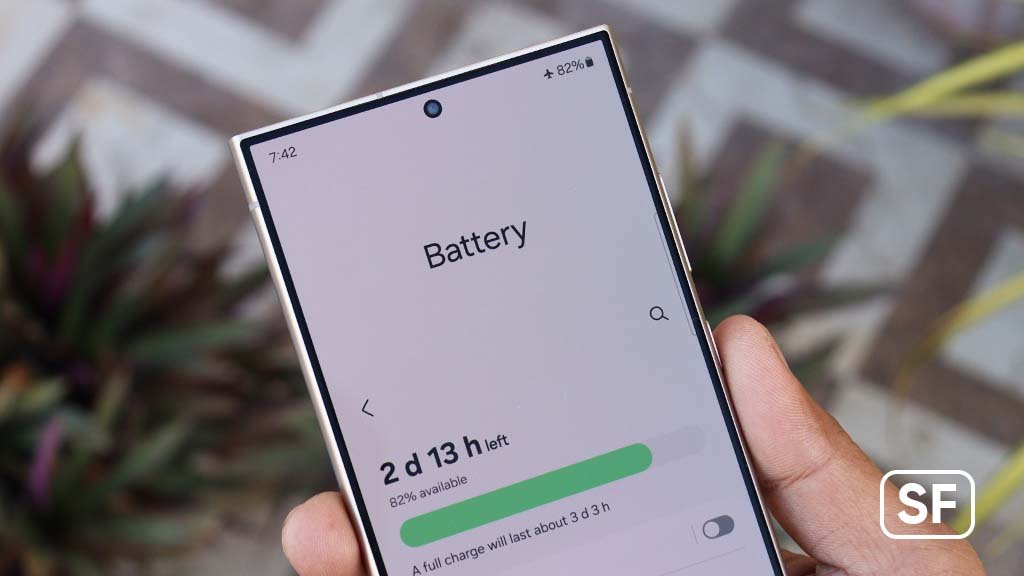
It’s a feeling we all know too well. Your phone, your connection to the world, is clinging to that last 10% of battery. You dim the screen, close every app, and pray it survives until you find a charger. It’s frustrating, especially when you remember how it easily lasted the whole day when it was new. I know what you’re thinking: "There's so much conflicting advice out there, I don't know what to believe." You're right to be skeptical, but the anxiety is real.
That feeling gets worse over time. A phone that was a battery champion for the first year can feel like it dies twice as fast by the 18-month mark. This isn't just an inconvenience; it's a slow-burn problem that chips away at the usability of a device you paid hundreds, or even thousands, for.
Quick Summary
- Life vs. Lifespan: Daily battery life (how long a single charge lasts) is different from its total lifespan (how many years it remains usable). Most new phones last a full day, but the battery itself only lasts about 2-3 years.
- The 80% Cliff: After about 500 charge cycles, most phone batteries will only hold about 80% of their original capacity, meaning you'll need to charge them more often.
- Smart Charging Habits > Myths: The single best thing you can do for your battery's long-term health is to keep its charge between 20% and 80%. Modern phones manage overnight charging automatically, so you don't need to worry about that myth.
Battery Life vs. Battery Lifespan: The Two Numbers That Matter
The crucial first step is to understand that we are talking about two very different things: how long your phone lasts today versus how many years it will last in total. This is the single biggest point of confusion for most users. One is a daily sprint; the other is a multi-year marathon.
Battery Life vs. Lifespan
A full day of typical use (Screen-On Time).
The time until capacity drops below 80%.
Daily Battery Life: What to Expect
Daily battery life, often measured as 'Screen On Time,' is the number of hours your phone can be actively used on a single charge. For most new smartphones, you should expect a full day of normal use. In lab tests, top-performing phones can achieve 10-14 hours of continuous screen time. However, this number plummets with heavy use like streaming high-definition video or playing graphics-intensive games.
Total Battery Lifespan: The 3-Year Countdown
Battery lifespan is the total usable life of the battery itself, which is typically around two to three years. Phone batteries are consumable parts that degrade over time. This degradation is measured in "charge cycles." A cycle is one full 0% to 100% charge. Most phone batteries are designed to retain up to 80% of their original capacity after 300-500 full charge cycles. Once it drops below that 80% threshold, the decline often becomes much more noticeable.
Biggest Battery Killers Hiding in Plain Sight
It's not just the battery's size (measured in mAh) that matters; modern features are the biggest power hogs and can drain a massive battery surprisingly quickly. A phone with a slightly smaller battery but more efficient software can easily outlast a phone with a giant battery that's powering a demanding screen and a 5G modem.
- 5G Connectivity: While incredibly fast, 5G requires significantly more power than 4G/LTE. As one user noted, "I was shocked at how much longer my battery lasts just by turning off 5G. I leave it on LTE/4G unless I really need the speed." Many phones allow you to switch to 4G/LTE as the default to save power.
- High Refresh-Rate Screens (120Hz+): That buttery-smooth scrolling on a 120Hz or higher screen is beautiful, but it's also drawing power twice as fast as a standard 60Hz screen.
- Always-On Displays: Having the time and notifications constantly visible is convenient, but it means a portion of your screen never truly sleeps.
And it's not just hardware. In the emerging world of AI-powered phones, new features can create significant drain. Even if you're not actively using them, some AI Phones Are a Battery-Killing Nightmare due to intense background processing.
How to Check Your Battery's Real Age
Wondering if your battery is just having a bad day or if it's truly getting old? You can check its long-term health.
- On iPhones: Go to
Settings > Battery > Battery Health & Charging. You'll see a clear "Maximum Capacity" percentage. - On Android: This is less standardized. Some manufacturers include it in their settings, but many don't. For a detailed look, you might need a third-party app like AccuBattery or use our complete walkthrough in this simple guide to check your Android’s battery health.
The Smart Way to Charge Your Phone (and Bust Some Myths)
Forget what you've heard about overnight charging or letting your phone die. The single most effective strategy for slowing down battery aging is to keep the charge level within a specific range.
Myth: Overnight Charging Kills Your Battery
Modern phones are so good at managing their power that leaving them plugged in overnight is not going to harm the battery. The phone and charger are smart enough to stop charging when they're full. – The Verge Staff
This is one of the most persistent myths, but it's outdated. Your smartphone automatically stops drawing power once it hits 100%, so you can rest easy plugging it in before bed.
The 20-80% Rule: Guideline, Not Gospel
The optimal range for a modern lithium-ion battery is between 20% and 80%. Keeping it in this sweet spot reduces stress on the battery's chemistry, which slows down the chemical aging process. Think of it like a muscle – it's less strained at 50% capacity than when fully tensed (100%) or completely limp (0%).
The 80 percent rule is a recommendation. It is not a law of physics… If you need 100 percent, go for it. But if you don't, then your battery will last longer if you don't charge it all the way to 100 percent. – Kent Griffith, Assistant Professor, University of California San Diego
Many phones now have built-in features to help with this. As one user smartly commented, "I just set my phone to stop charging at 85% automatically and stopped worrying about it. It seems to be helping."
Battery Charging Zones
20%
80%
100%
Common Mistake: Ignoring Software Updates
You might think a software update is just for new features, but it can have a massive impact on your battery—for better or worse. A buggy update can wreak havoc. One user lamented, "A recent update on my phone completely tanked my battery life for weeks until they released a patch." This is a real problem; sometimes an iOS update is killing your iPhone battery due to unforeseen glitches.
After an update, your phone often performs background tasks like re-indexing files, which can cause temporary battery drain for a day or two. If it persists, check to see if your apps are also updated and compatible with the new OS.
End of the Road: Battery Replacement vs. Buying New
When your battery health drops significantly, you face a choice. Do you replace the battery or buy a whole new phone? From a purely financial standpoint, a battery replacement is almost always cheaper.
A professional battery replacement can cost between $60 and $100 for many models, a fraction of the price of a new device. However, if your phone is over three years old, no longer receives critical security updates, or is struggling in other areas (like speed or storage), it might be more practical to invest that money in a new device. For help navigating that decision, our Ultimate Smartphone Buying Guide can point you in the right direction.
Take Control of Your Battery Life
Understanding your phone's battery isn't about memorizing technical jargon. It's about knowing the difference between daily life and long-term lifespan and adopting small, smart habits. By managing those power-hungry features and charging smarter, not harder, you can keep your device running stronger for longer. Stop letting battery anxiety rule your day and start making your battery work for you.
What's the one battery-saving tip you swear by? Share it in the comments below!
Frequently Asked Questions
What exactly is a charge cycle?
A charge cycle is counted every time you use 100% of your battery's capacity, but it doesn't have to be all at once. For example, using your phone from 100% down to 50% and then recharging it to 100%, and doing the same thing the next day, would equal one full charge cycle across two days.
Should I let my phone die completely before charging?
No, this is outdated advice that applies to older nickel-cadmium batteries. Modern lithium-ion batteries do not have a "memory effect," and letting them drain to 0% frequently can actually cause more stress and shorten their lifespan.
Does fast charging damage my battery?
Fast charging generates more heat, which can degrade a battery slightly faster over time, but modern phones have systems to manage this. They regulate the charging speed and temperature to minimize damage. For daily use, the convenience often outweighs the very minor impact on long-term lifespan.
References / Sources
[1] honor.com